 EN
EN AR
AR
 DA
DA
 NL
NL
 FR
FR
 DE
DE
 EL
EL
 HI
HI
 IT
IT
 JA
JA
 KO
KO
 PL
PL
 PT
PT
 RU
RU
 ES
ES
 TL
TL
 ID
ID
 VI
VI
 TH
TH
 TR
TR
 FA
FA
 MS
MS
 KK
KK
 UZ
UZ
 KY
KY

Sa loob ng maraming dekada, ang seguridad sa tirahan ay lubos na binary: ang iyong pinto ay alinman ay nakakandado o hindi nakakandado. Ang tradisyonal na mekanikal na susi ay walang anumang kakayahang magbigay ng visibility sa aktwal na gawain sa iyong pasukan. Kung ang isang miyembro ng pamilya ay dumating sa bahay, o mas malala, kung ang isang hindi awtorisadong tao ay gumamit ng kopyang spare key habang ikaw ay nasa opisina, mananatili kang ganap na hindi nalalaman.
Ngayon, ang pagsasama ng premium na hardware at sophisticated na software ay lubos na nagpalit sa seguridad ng tirahan. Ang isang modernong smart lock ay gumagawa ng higit pa kaysa sa pag-alis ng mga pisikal na susi; ito ay nagpapalit sa iyong pangunahing pinto bilang isang aktibong, madunong data node. Sa pamamagitan ng paghahari sa mobile application na kasama ng iyong smart lock, maaari kang magbuo ng isang komprehensibong at hindi mapapawalang-bisa na log ng seguridad ng pamilya. Ang pag-unawa kung sino ang bukas sa iyong pinto, kailan eksaktong nangyari ito, at sa ilalim ng anong mga kalagayan ay ang pinakamataas na ebolusyon ng modernong kapayapaan ng isip.
Real-Time na Telemetry: Pag-configure ng Instant na Push Notification
Ang pundasyon ng proaktibong digital na security log ay ang real-time na kamalayan. Sa halip na suriin ang mga camera nang bale-wala, ang app ng iyong smart lock ang gumagana bilang isang aktibong digital na concierge.
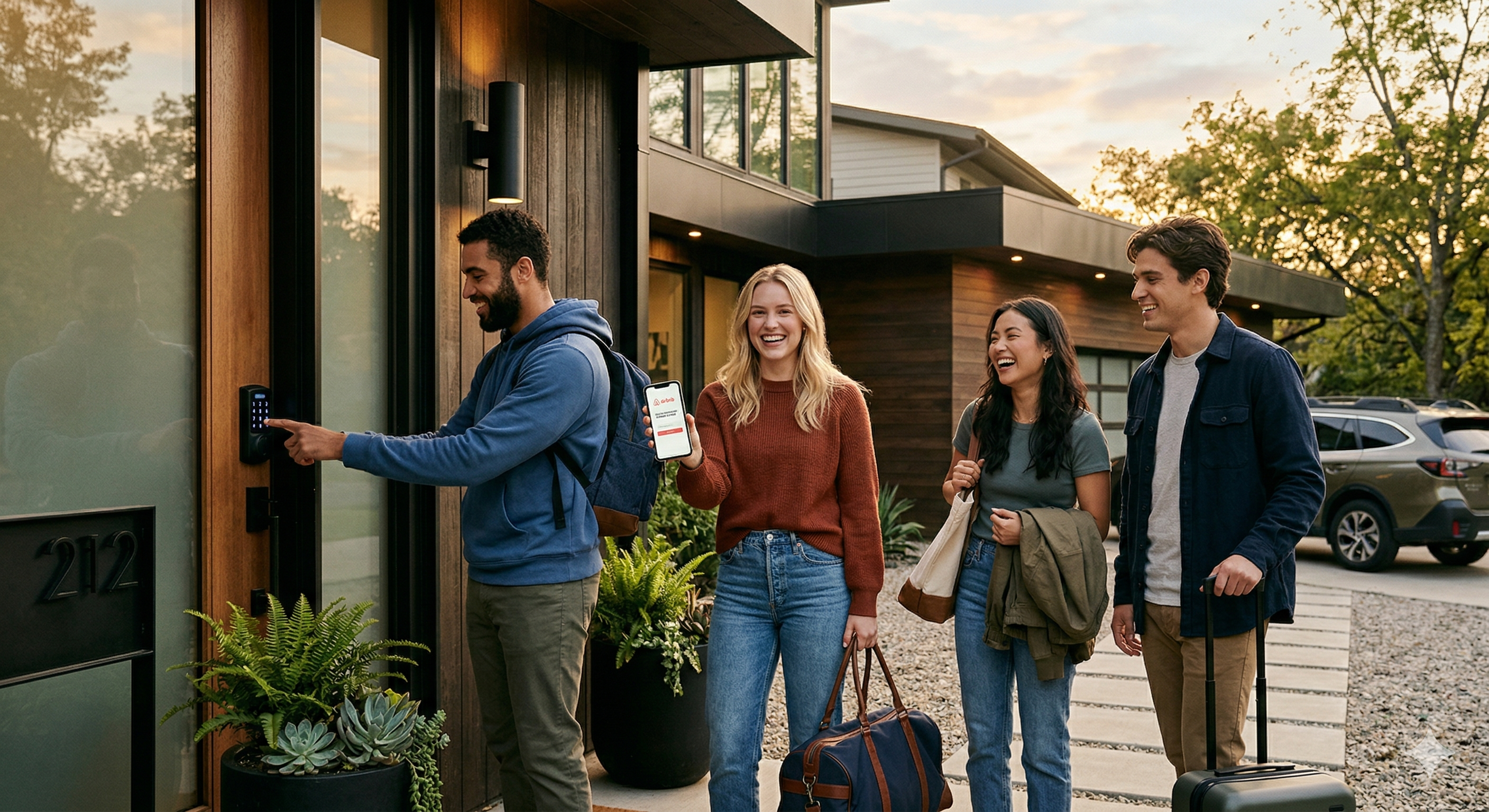
Sa loob ng dashboard ng mga setting ng app, ang mga tagapangasiwa ay maaaring i-configure ang mga pasadyang push notification para sa mga tiyak na kaganapan sa pagkandado. Kapag inaaktibo ang tampok na ito, isang alerto ang ipinapadala nang direkta sa iyong smartphone sa eksaktong milisegundo kung kailan umurong ang deadbolt. Nagbibigay ito ng malaking kapanatagan sa isip para sa mga abalang pamilya. Halimbawa, ang mga magulang na nasa trabaho ay maaaring makatanggap ng agarang abiso na nagsasabi, "Binuksan ang Pintuang Harapan gamit ang Daliri: Sarah" nang 3:15 PM, na nagbibigay ng agad na kumpirmasyon na ligtas na nakauwi ang kanilang anak mula sa paaralan.
Bukod dito, ang mga real-time na abiso na ito ay gumagana bilang mahalagang paunang babala. Kung makatanggap ka ng abiso na binuksan ang pintuan nang 2:00 AM habang tulog ka, o habang wala ka dahil sa negosyo sa ibang lugar, maaari mong agad buksan ang iyong mga security camera at makipag-ugnayan sa lokal na awtoridad, na lubos na binabawasan ang oras ng tugon sa panahon ng posibleng pambubugbog.
Pamamahala ng Seguridad Batay sa Antas: Pagtatatag ng Mga Tiered Access Permission
Isang kritikal na pagkakamali na madalas gawin ng mga bagong gumagamit ng smart home ay ang pagbibigay ng pantay na digital na awtoridad sa lahat ng naninirahan o dumadalaw sa bahay. Ang isang app ng smart lock na may antas ng propesyonal ay nagpapahintulot sa iyo na magtatag ng mahigpit na hierarkiya sa pamamagitan ng nakakahati-hating mga pahintulot para sa mga gumagamit, na nangangalaga sa integridad ng iyong log ng seguridad.
Ang Tungkulin ng Administrator: Kadalasan ay itinatago para sa mga may-ari ng bahay, ang account ng Administrator ay may ganap na kontrol sa buong ecosystem. Ang Admin lamang ang maaaring magdagdag o tanggalin ang mga gumagamit, baguhin ang mga mekanikal na setting (tulad ng mga timer para sa awtomatikong pag-lock), magbigay ng pansamantalang password para sa mga bisita, at tingnan ang kumpletong kasaysayan ng log na may timestamp ng bawat pagpasok at paglabas.
Ang Tungkulin ng Regular na Kasapi: Ang profile na ito ay ibinibigay sa mga bata, matatandang magulang, o mga panandaliang bisita na nananatili nang matagal. Ang isang Regular na Kasapi ay binibigyan ng kredensyal (daliri, PIN, o RFID card) upang buksan ang pinto, ngunit ang kanilang interface sa app ay mahigpit na limitado. Hindi nila mababago ang mga setting ng lock, tingnan ang mga log ng access ng ibang miyembro ng pamilya, o imbitahan ang mga bagong gumagamit.
Ang detalyadong kontrol na ito ay nagsisiguro na ang mga parameter ng iyong seguridad ay hindi maaaring biglang baguhin ng isang mapagtanong na bata, ni hindi rin maaaring pansamantalang burahin ang mga log ng pagpasok, upang mapanatili ang ganap na katiyakan ng iyong pagsusuri sa bahay.
Ang Pinakamataas na Panlaban: Ang Tahimik na Passcode sa Sitwasyon ng Panganib
Bagaman ang mga log ng pang-araw-araw na pagpasok ay nagbibigay ng kapayapaan sa operasyon, ang tunay na pagsubok sa isang sistema ng seguridad ay kung paano ito gumaganap sa ilalim ng ekstremong, buhay-na-nakasalalay na mga sitwasyon. Isa sa pinakakatakot na senaryo ay ang 'tailgating' o pag-aresto, kung saan sinusundan ng isang salakay ang isang naninirahan hanggang sa pintuan nito at pilitin itong buksan sa ilalim ng pananakot ng karahasan.
Ang mga karaniwang lock ay walang proteksyon dito; kung buksan mo ang pinto, makapasok ang salakay. Gayunpaman, ang mga premium na smart lock ay may napakahusay na paraan ng paglaban na maaaring iligtas ang buhay, na kilala bilang Duress Passcode (o Password/Pindutin ng Daliri laban sa Pag-aresto).
Sa loob ng app, ang Administrator ay maaaring itakda ang isang tiyak na pangalawang PIN code o isang tiyak na daliri (halimbawa, ang kaliwang indeks na daliri) nang buong malinaw para sa mga emergency. Sa normal na mga kundisyon, hindi mo kailanman gagamitin ang kredensyal na ito. Gayunpaman, kung ikaw ay pinipilit, ilalagay mo ang tiyak na duress code na ito. Sa paningin ng mananakot na nakatayo sa likuran mo, ang lock ay kumikilos nang ganap na normal—kumakalabog ito, gumagalaw ang motor, at bukas ang pinto. Ngunit sabay-sabay, ang software ng lock ay kinikilala ang duress credential at agad na nagpapagana ng tahimik na SOS protocol.
Ang app ay agad na nagpapadala ng mataas na priyoridad na tahimik na push notifications at SMS alerts sa iba pang Administrators o sa mga pre-designated na emergency contacts, na nagpapahayag na may kasalukuyang nangyayaring hijacking sa iyong tirahan. Ito ay nagbibigay-daan sa iyong mga mahal sa buhay na agad na magpadala ng pulisya nang hindi nagpapaalam sa salta, na ginagawang lihim at nagliligtas-buhay na panic button ang iyong smart lock.
Kontrolin ang Seguridad ng Iyong Tahanan gamit ang LaDing
I-upgrade ang iyong ari-arian gamit ang mga intelligent smart lock ng LaDing upang maranasan ang hindi maikakapantay na access control, komprehensibong security logging, at kahapong kapayapaan ng isip. Upang pangalagaan ang kaligtasan ng iyong pamilya gamit ang aming high-tech na access solutions, makipag-ugnayan sa amin ngayon sa WhatsApp: +86 15800194932.